
Designing a Conversational AI Platform for Hiring
Building both the intelligence platform and candidate facing experiences that automate recruitment journeys.

TEAM
Machine Learning Engineer, Development Engineers, QA, Product Manager, Product Designer
EXPERIENCE LEVEL
End to end ownership
DURATION
24 months
Our Happy Clients


And many more.
Michelle Hart
Lead Talent Strategist, Stanford
Health Care
"Our leaders were blown away that so many people interact with the chatbot and get a lot of their responses that way which is why it's even more important that our responses are relevant and meeting candidates' needs."
Sarah Steinmann
Talent Acquisition Specialist, Southwest Airlines
“Our chatbot didn’t just have a random effect on our hiring processes, but it really directly impacted the candidates we saw and the future employees of Southwest Airlines."
Ashley Blckmore
Director, North America Talent Acquisition & Operations
"We have a 96% apply rate through the chatbot, which is amazing."
Brandon Prideaux
Director of Talent Acquisition, Community Medical Centers
“With the new chatbot, we’re able to engage with candidates at all hours and during weekends. Many of our job seekers are night nurses and other hard-to-reach clinical staff. This now serves that purpose."
From Static Career Sites to Conversational Hiring
Traditional hiring journeys were fragmented:
Career sites displayed information.
Most career sites functioned as static repositories of job listings, policy pages, and FAQs layered across multiple navigation paths.Candidates were expected to search, interpret, and self serve without guidance.The experience informed, but rarely engaged.
Recruiters handled repetitive questions.
Recruiters spent significant time responding to the same queries like eligibility, application status, location details, benefits.
These interactions were necessary but operationally inefficient.
Human effort was being used where automation could have scaled.
Applications required long forms.
Applying meant navigating multi page forms that asked for structured data already available in resumes.
The process was transactional rather than conversational. Friction at this stage directly impacted completion rates.
Bots exisited but lacked intelligence.
Early chatbots relied heavily on keyword triggers and rigid decision trees. They responded, but rarely understood intent.
Without learning mechanisms or contextual awareness, automation felt mechanical rather than helpful.
We designed a unified system where:
Internal teams train the bot
AI learns from conversations
Candidates complete hiring journeys conversationally
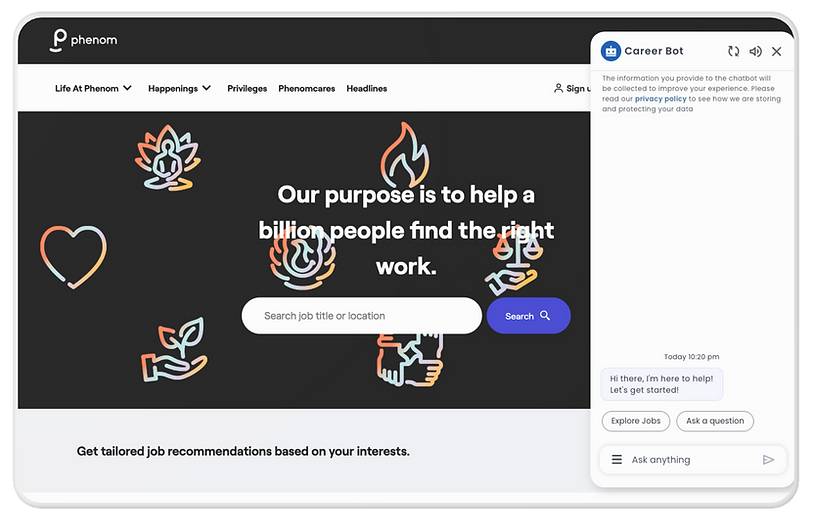
One Platform. Two Experiences.
The product consisted of two tightly connected layers:
Intelligence Platform (Backend)
Candidate Experience (Frontend)
Job discovery
Resume upload
Assessments
Interview scheduling
Real time Q&A
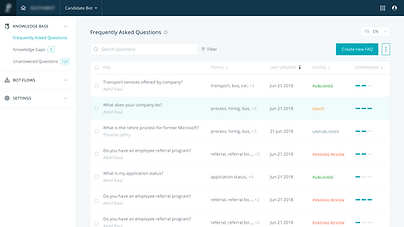
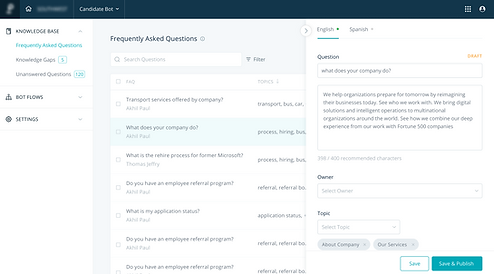
Manage knowledge base
Detect knowledge gaps
Train conversational responses
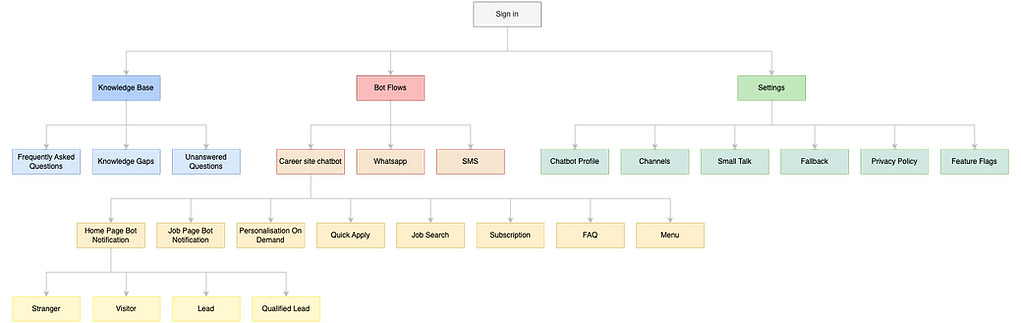
Configure bot behaviour
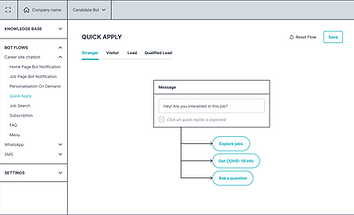
Design interaction flows

Architecture
Making AI Operational
Keyword Matching
Phrase Detection
Intent Recognition
ML engineers implemented NLP models while I designed:
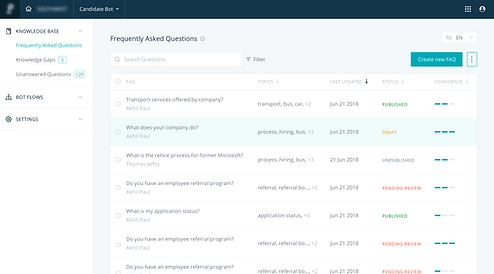
Confidence Indicators
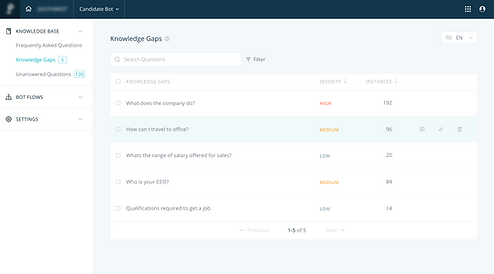
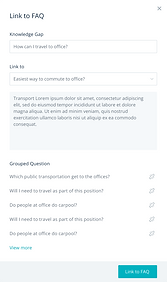
Knowledge Clustering Workflows
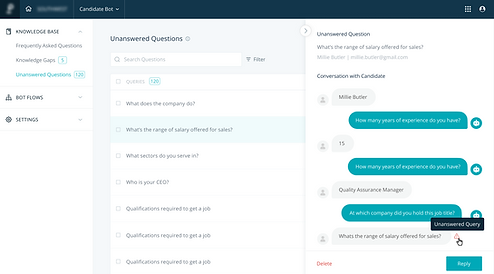
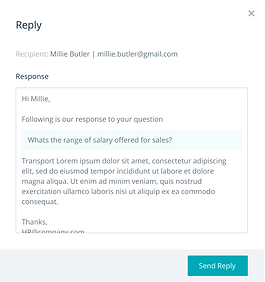
Unanswered Query Detection and Human Override Mechanisms
The platform continuously improved through real conversations.
Designing Interfaces for Non-Technical AI Training
AI success depended on enabling recruiters,
not engineers, to improve the system.
I designed workflows allowing teams to:
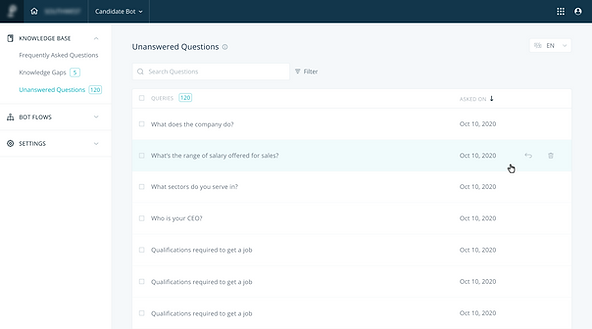
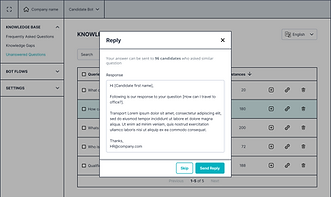
Convert Unanswered Queries into Training Data

Group similar questions automatically
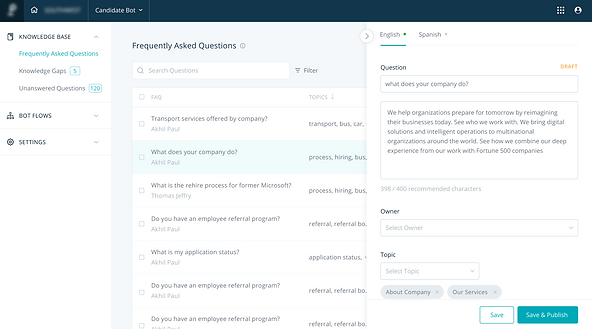
Publish Responses
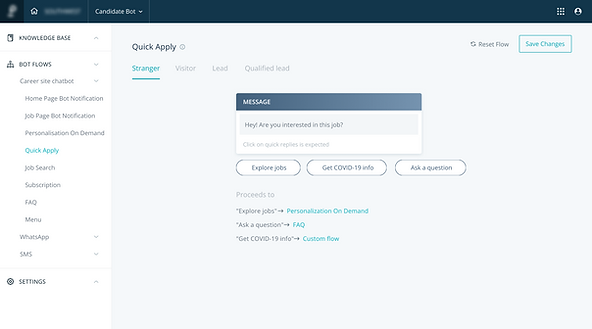
Configure Conversational Flows visually

Bot Personalisation
The admin platform became the control center of the AI.
Where the Intelligence comes to Life

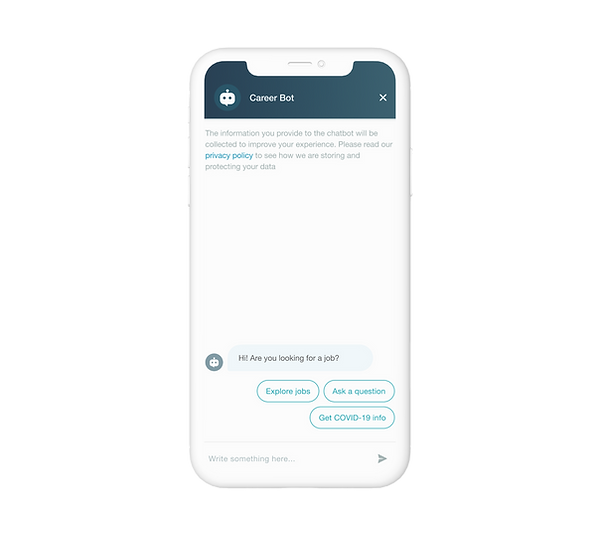
Conversational Entry
Candidates interact directly on career sites instead of navigating complex pages.
Resume Upload
AI captures candidate data conversationally.
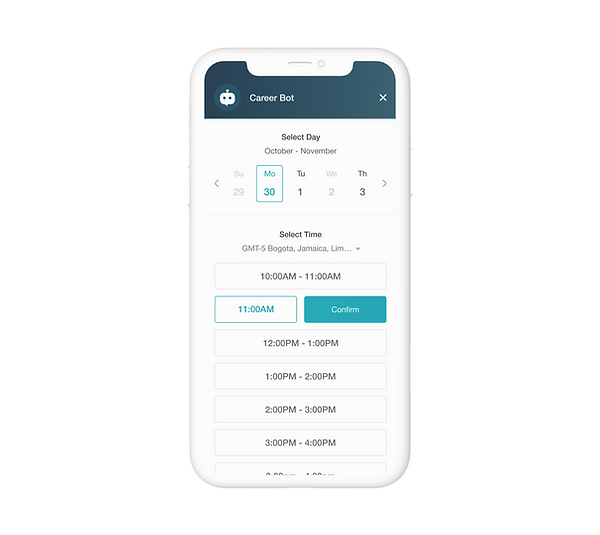
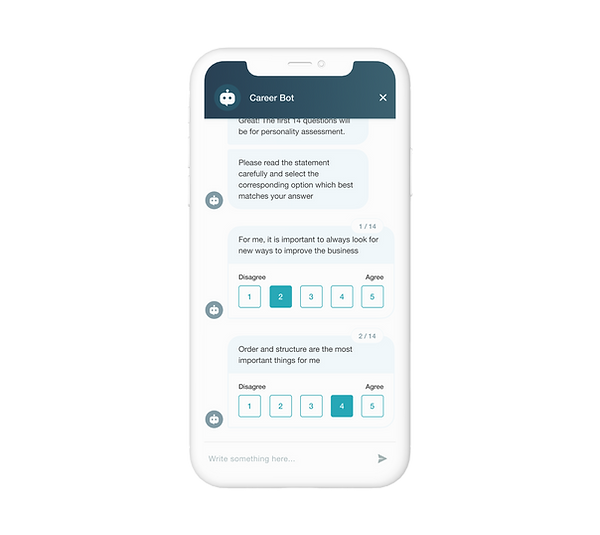
Conversational Assessment
Interview Scheduling
Assessments run seamlessly inside chat.
Automation removes recruiter coordination overhead.
Every interaction visible to candidates was powered by decisions made inside the intelligence platform.
Designing alongside Machine Learning Systems

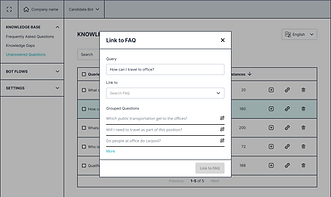
I collaborated closely with ML engineers and backend teams to align UX decisions with system behavior:
Intent classification models
Phrase similarity clustering
Confidence scoring logic
Conversation state handling
Training data structure
Rather than designing static interfaces, I was designing for an evolving AI system.
Design beyond Screens
Key challenges included:
Designing transparency into probabilistic AI decisions
Balancing automation with human control
Ensuring scalability across multiple hiring workflows
Maintaining consistency between admin platform and live conversations
Impact
Increased product adoption by 60% providing a more catered and intuitive platform for Quality Assurance.
Provided fully automated test runs for 30% of scenarios and increasing.
Improved efficiency of task management by integrating Jira for raising tickets within the platform.
Easy access to reports for frequent updates amongst internal stakeholders and a few customers.
Designing both the Brain and the Experience
This project taught me that successful AI products require equal investment in:
Intelligence Systems
Operational Tooling
Human Experience
Designing both backend and candidate interfaces allowed me to shape the product as a complete ecosystem rather than isolated features.